QR codes that
actually look good.
Create styled QR codes with icons and themes, scan any code with your camera, and print Avery-compatible sticker sheets — all in one app.
One app. Every QR need.
Generate, style, scan, and print — without switching between tools.
Any Content Type
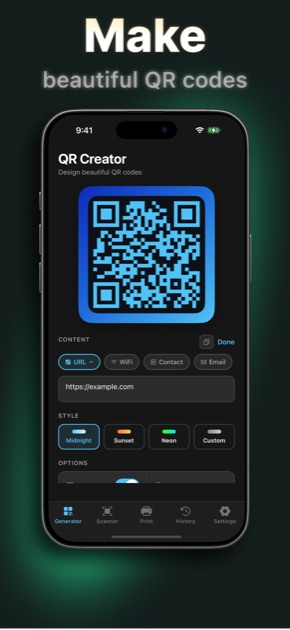
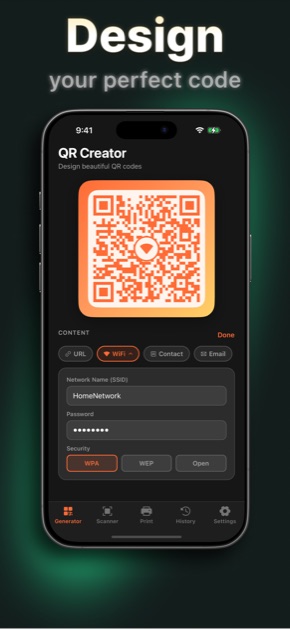
URL, WiFi password, contact card, or plain text — type it in and your QR code renders live. One tap to save or share.
Four Distinct Styles
Midnight blue, warm Sunset, electric Neon, or your own custom hue. Add rounded dots and a center icon to make it unmistakably yours.
Point and Done
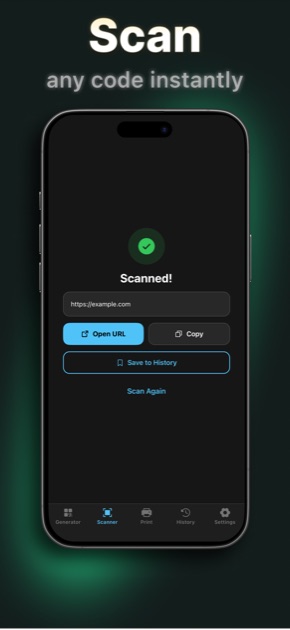
Open the scanner, point your camera, and the result appears instantly. Opens links, copies text, and joins WiFi networks automatically.
Avery Label Sheets
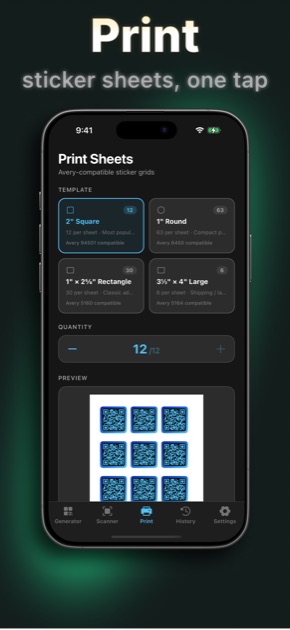
Choose a template — 2″ squares, 1″ rounds, or shipping rectangles. Preview the full sticker grid, then print directly via AirPrint.
Start free.
Own it forever.
QR generation and scanning are always free. Go Pro for unlimited saves, printing, and all design themes.
WHAT YOU GET WITH PRO
- Unlimited saves to your photo library
- Print sticker sheets — up to 63 labels at once
- Sunset, Neon & Custom color themes
- Unlimited sharing — AirDrop, Messages, and more
Multiple subscription options · Cancel any time
Free to download.
Make your first QR code in seconds. No account needed.
Get QR Creator on the App StoreSupport
Email SupportEmail support+qrgen@fosterapps.com and include:
- A short description of what you were doing.
- Steps to reproduce the issue, if you know them.
- What you expected vs. what actually happened.
- Your device model and iOS version.
- Any screenshots that might help.
Privacy policy
Read the full policy at the QR Creator privacy page.